
Watch Bilibili in
Your Language.
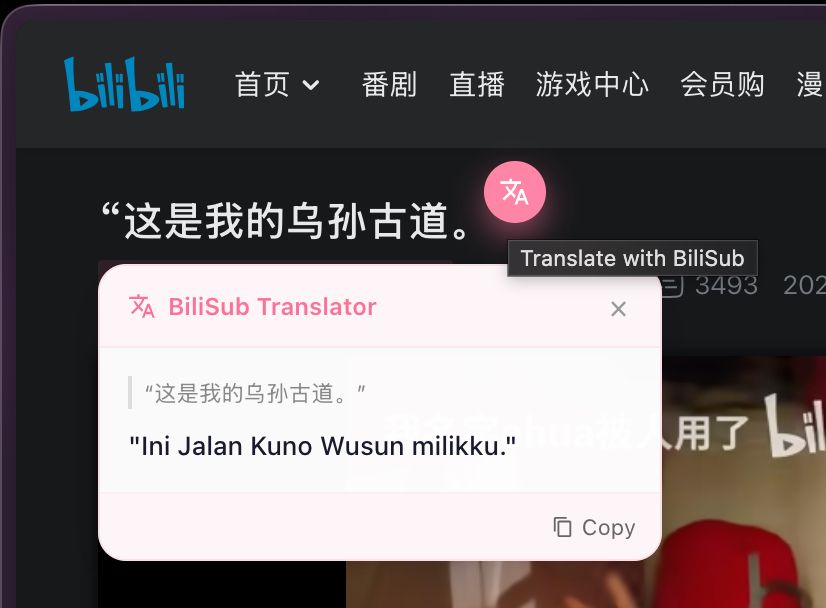
A seamless browser extension that adds real-time multi-language subtitles to Bilibili videos. No API keys needed, just install and watch.
 Get on Edge
 Get on Firefox
Requirement: Videos need AI subtitles. The extension prefers ai-zh/ai-cn (AI Chinese), and automatically falls back to ai-en (AI English) when no Chinese track exists.

Everything you need,
nothing you don't.
100+ Languages
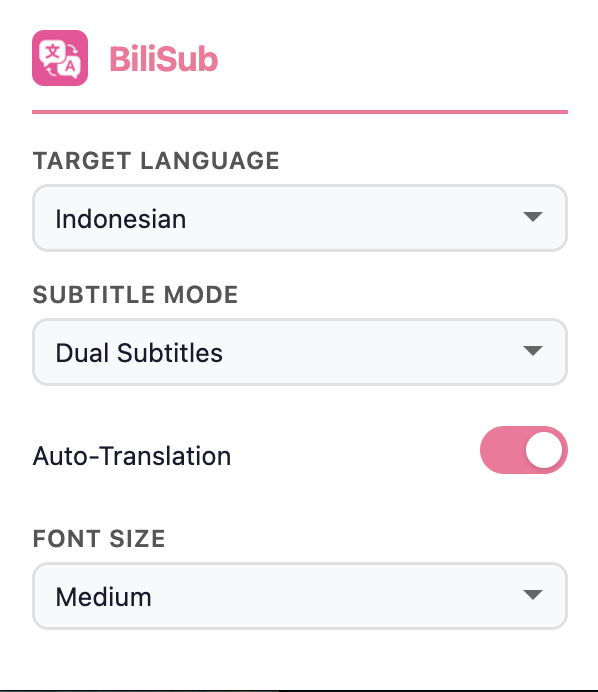
Translate to English, Indonesian, Japanese, and dozens more instantly.
Dual Subtitle Mode
Show translated text alongside original Chinese for easy learning.
Zero Lag
Fast asynchronous translation. Falls back to original text if connection fails.
Ready to use
No API keys, no billing, no sign-ups required. It just works.
Popup UI Translation
The popup interface auto-translates to your selected target language for a fully localized experience.
Install in 30 Seconds
Load it manually into Chrome, Edge or Firefox.
Clone Repository
Download the extension files to your computer.
git clone https://github.com/fazza-abiyyu/BiliSub-Translator.git
Open Extensions Page
Paste this into your browser's address bar.
chrome://extensions/
Enable & Load
Turn on Developer Mode (usually top right). Then click Load unpacked and select the downloaded BiliSub-Translator folder. You're done!